

LinkedIn How-To: Add an Administrator to Your Company Page

Written by PSM Marketing

Published November 10, 2016

(Updated February 18, 2026)

First, log into your LinkedIn account. On the Homepage Menu, scroll over to Interests, then click on Companies from the drop down menu. Next, click on the company page from the right hand side menu that you’d like to add an administrator to. For this example, we’ll use PSM. Once you’ve arrived at your company […]

office computer mac

In this article

First, log into your LinkedIn account. On the Homepage Menu, scroll over to Interests, then click on Companies from the drop down menu.
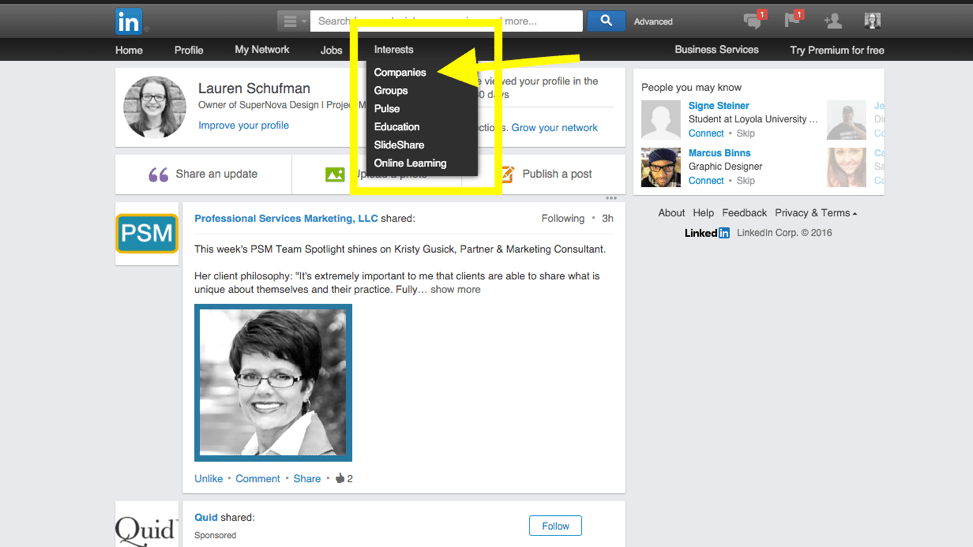
LinkedIn homepage showing Interests dropdown menu with Companies option highlighted to begin adding an admin to a company page.

Next, click on the company page from the right hand side menu that you’d like to add an administrator to. For this example, we’ll use PSM.
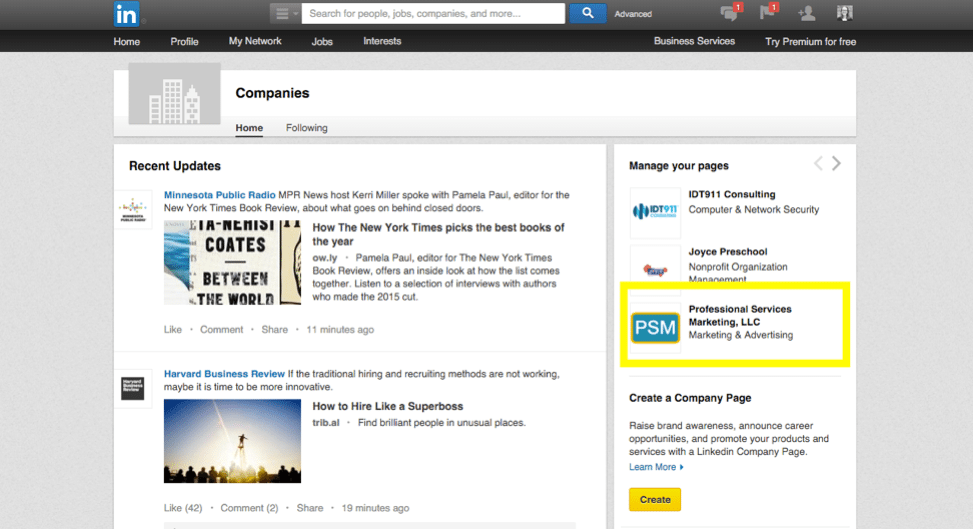
LinkedIn Companies page displaying Manage Your Pages sidebar with Professional Services Marketing, LLC selected.Once you’ve arrived at your company page, find the blue Edit button on the right hand side. Click this, and a drop down menu will appear. Click Edit Page.
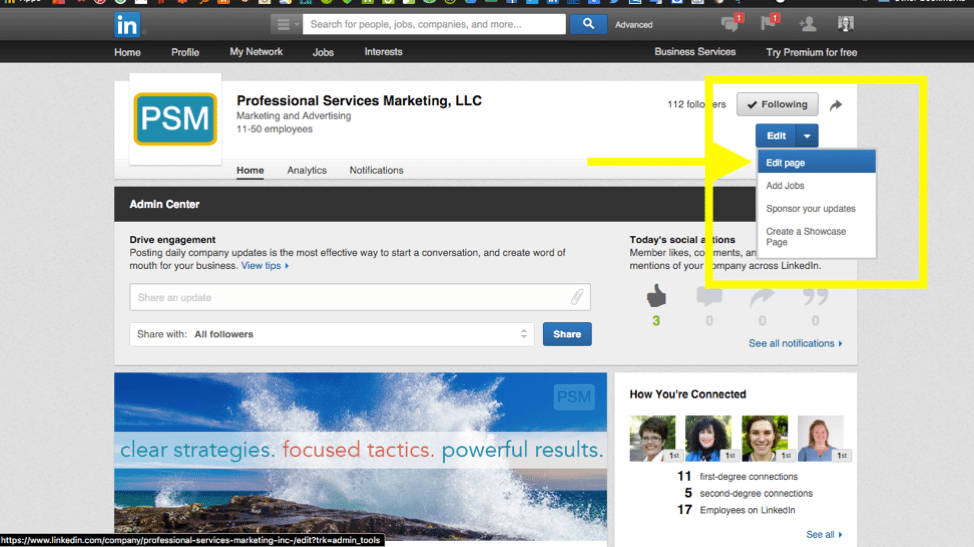
LinkedIn Company Page admin view with Edit button dropdown open and Edit Page option selected to add an administrator.

Now, scroll down until you reach the area titled Company Page Admins. This is where you can add another administrator to your company page. Simply start typing in their name, and it will appear in the drop down menu.

Note: You must be connected on LinkedIn with the person you are trying to make an administrator before you can do so.

After you add them to this list, the person will receive an email notification they have become an administrator for the page.


About the author

PSM Marketing

PSM Marketing is a full-service marketing firm dedicated to helping small businesses, professional firms, non-profits, and other community-based organizations share their passion.

Ready to Connect?

PSM Marketing works as the outsourced marketing department for professional services firms of all sizes. Contact PSM marketing today.

Let's talk about your marketing.

A free marketing assessment with Terrie or Michelle Wheeler. You'll leave with ideas you can use, whether or not we work together.